Entri · Case study · 4 min read
Beyond Access: Designing a Smarter Learning Journey
Entri App is India’s premier vernacular learning platform, trusted by over10 million users. It focuses on skill development and competitive exam preparation, offering job-oriented courses in Digital Marketing, Programming, and Spoken English. Learners also prepare for exams like IBPS PO, SSC, RRB, and Kerala PSC on the platform.
Through Entri Elevate, our cohort-based learning program, users benefit from mentorship and structured training to boost their career readiness. As we continue to grow, especially within the Elevate program, consistent improvement and systematic problem-solving remain our top priorities.
Entri Elevate: Our promising course for upskilling.
Entri Elevate, our flagship category, offers high-demand skill training through weekly lessons, live sessions, and 1:1 mentorship and is a key revenue driver.
Learners are grouped into batches based on their joining date. The course includes recorded videos, quizzes, flashcards, notes, and live classes, all organised into weekly modules. It also features weekly and module-based assignments, plus a final project.
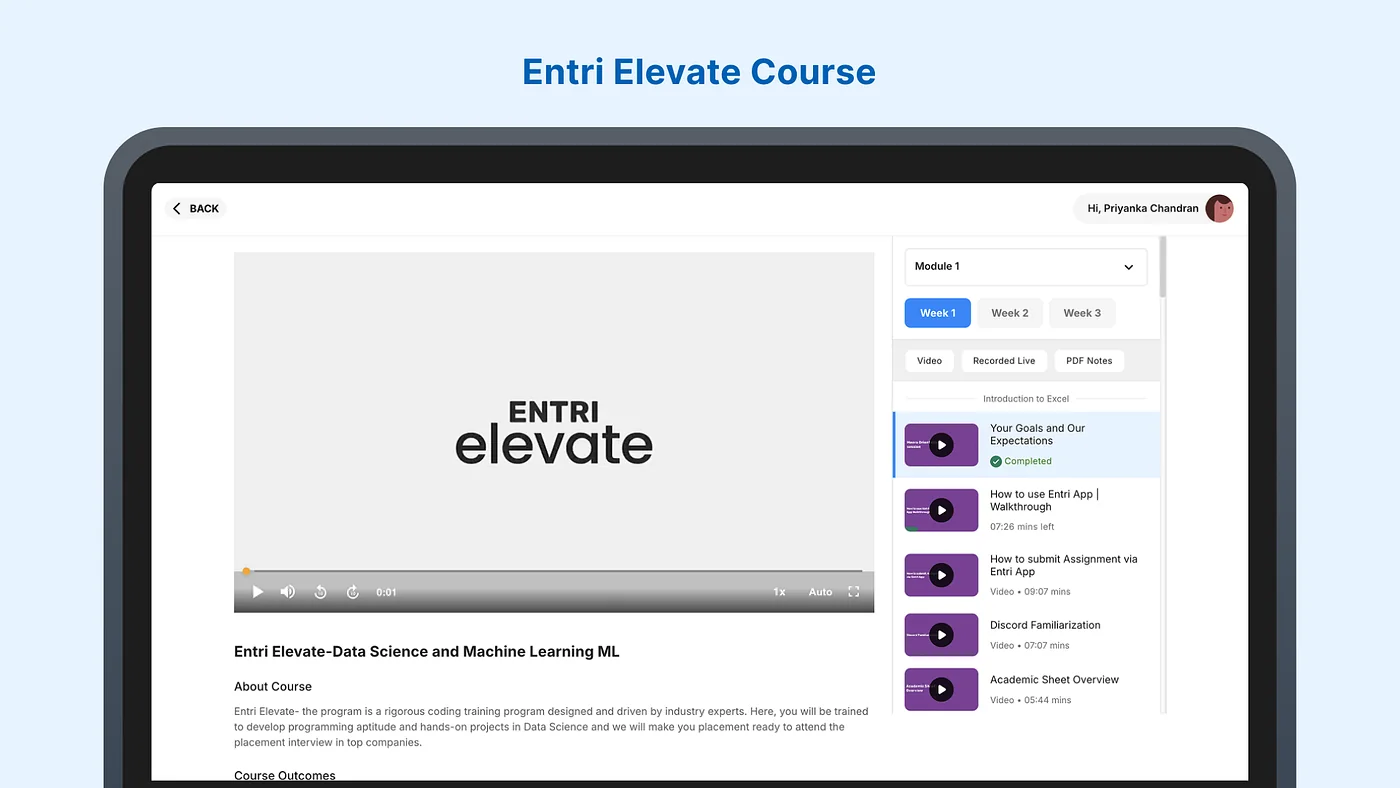
The live classes are spread over the week and include soft skill training as part of interview preparation. While the live classes were going well, with a consistent LPI (live participation index), we faced a big challenge:Low course content consumption.
Addressing the challenge: Drop in course engagement over time
Once we noticed this problem, we quickly flagged it to the academic team to brainstorm.
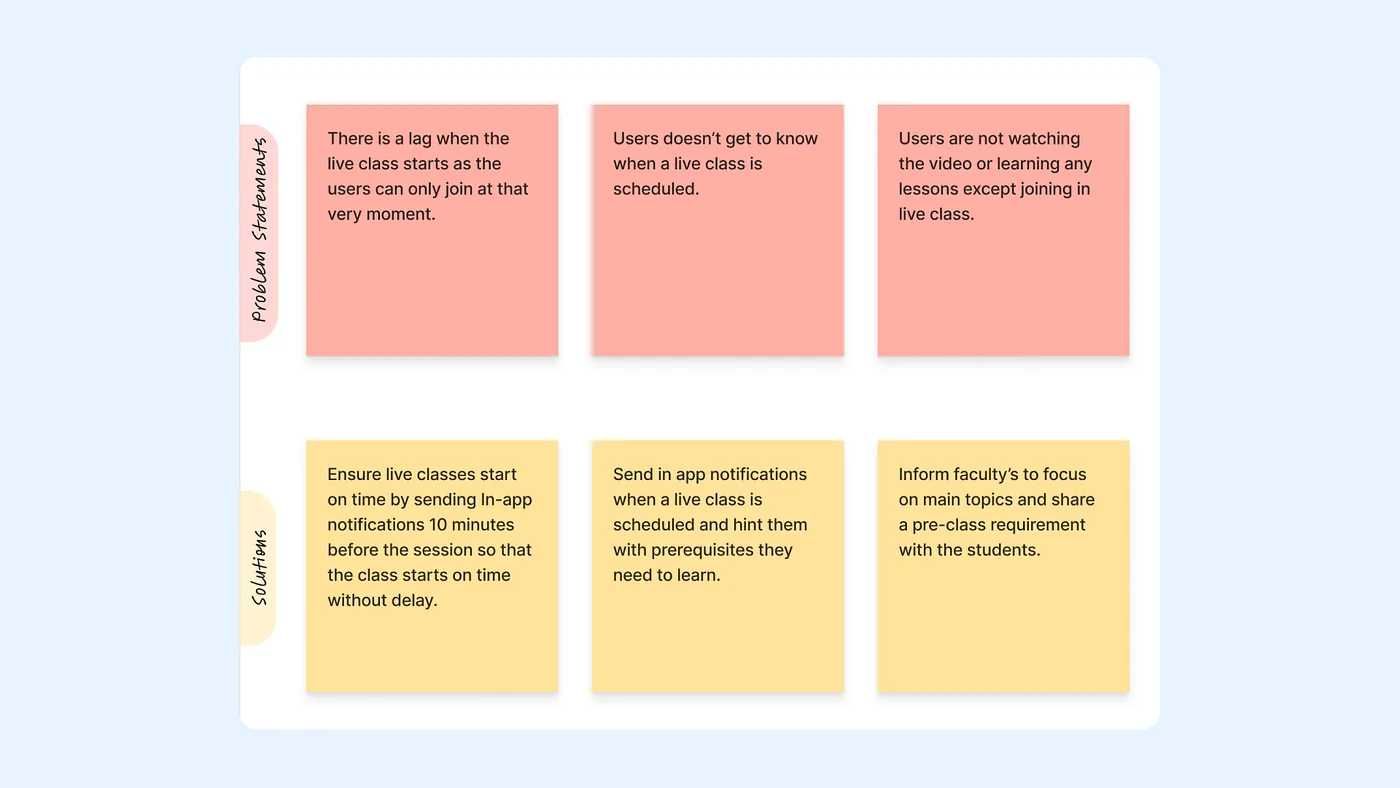
Turns out, our students were over-relying on live classes and re-asking questions answered in recordings. This was eating up a lot of time during the live sessions and stopping the teachers from covering everything they needed to. The main problem was that students weren’t going through the materials on their own before class.
Solving at the root level
To address the issue, we initially reinforced that live classes must focus on:
- Assigned topics
- Doubt-clearing
- Prerequisites
Pre-class prerequisites, shared by the faculty,were the lessons to be learned before attending a live class. But because different teachers enforced the rules in different ways, this method didn’t work well.
The real answer was right there in the product itself.
After team discussions, we decided that users must complete the required lessons before joining a live class. This helps them come better prepared and keeps learning consistent for everyone.
Getting Learners Ready for Live Sessions
- We resolved the issue in under three days by introducing a new user flow.
- This flow informs users that they must complete the prerequisite lesson before joining a live class.
- A prominent banner now guides users on what they need to learn before attending the session (as shown in the image).
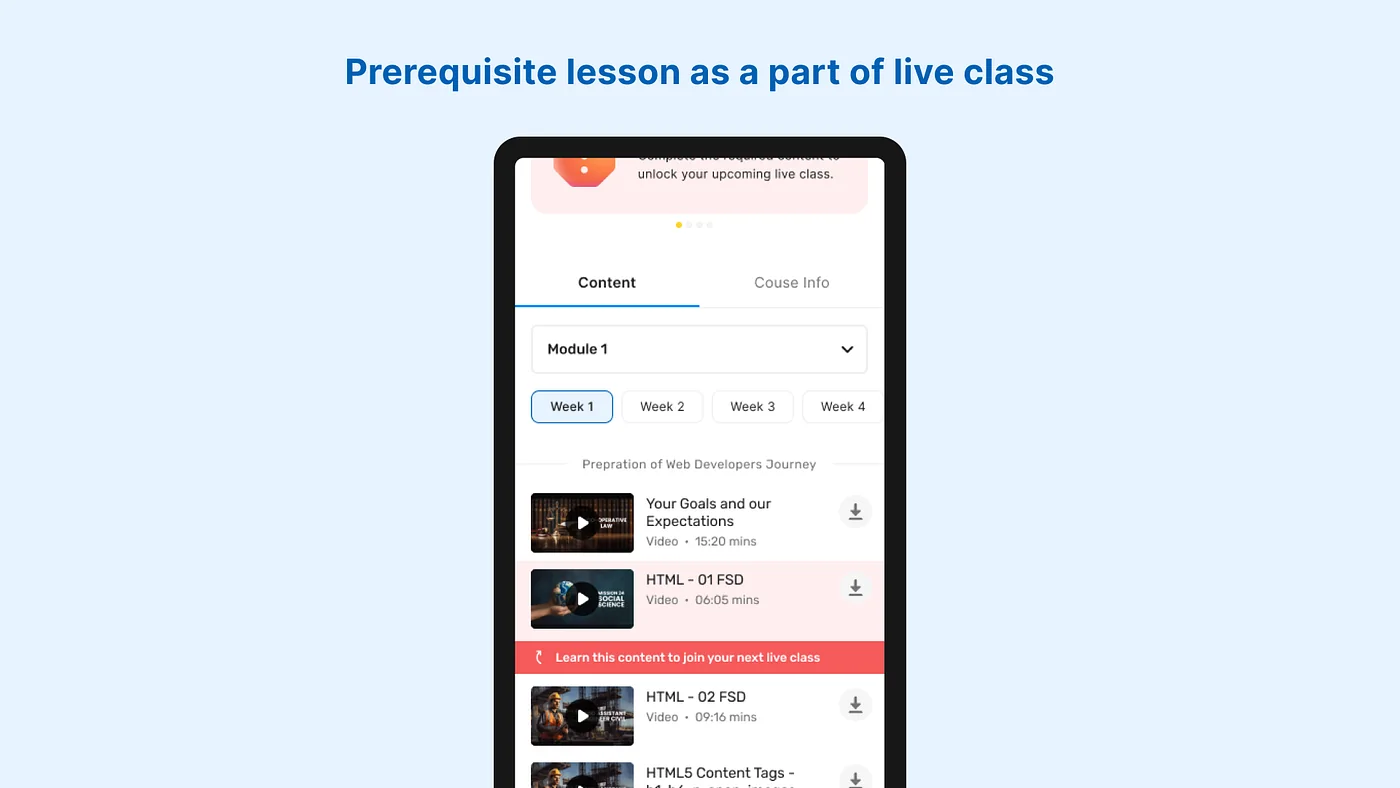
- The specific live class remains disabled and locked until the required lesson is completed.
- This ensures users understand their learning path clearly and come better prepared for live classes.
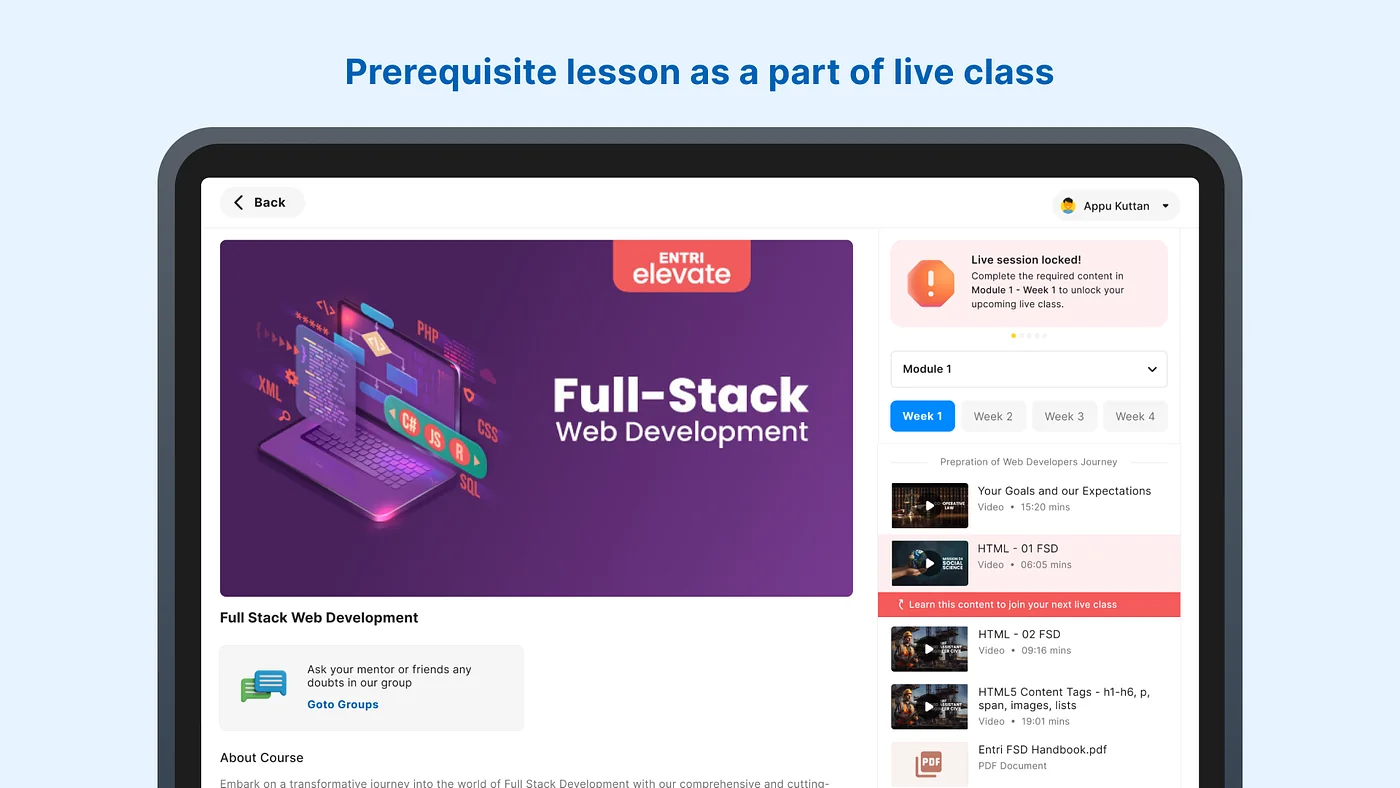
We added a notification informing users they can’t join the live class until they’ve completed the prerequisite lesson.
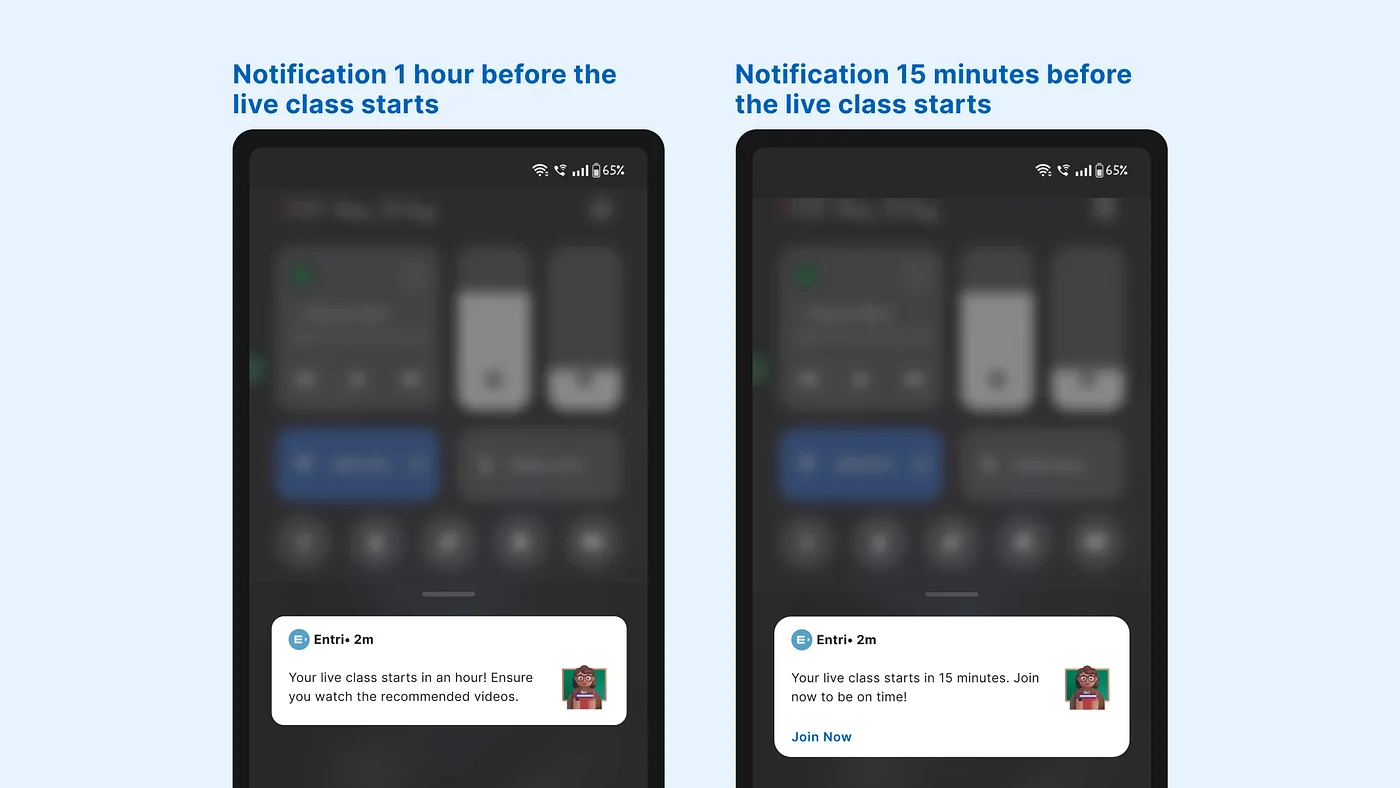
This initiative was conducted as an experiment across a select number of courses, with careful monitoring of the course engagement levels within the respective batches.
Lessons from the experiment
- The experimental results were promising, with 6 out of 8 monitored batches demonstrating significant progress in course consumption during the third week following the rollout.
- We encountered a significant challenge: users expressed a strong preference for watching recorded sessions instead of attending live classes.
- This preference led to a decline in the Live Participation Index.
Fine-tuning learning without dropping the metrics
- To improve the live participation index, we brought restrictions on recorded live classes.
- Implemented multiple prerequisites to build a solid foundation.
- Ensured clear communication of these prerequisites to avoid any confusion.
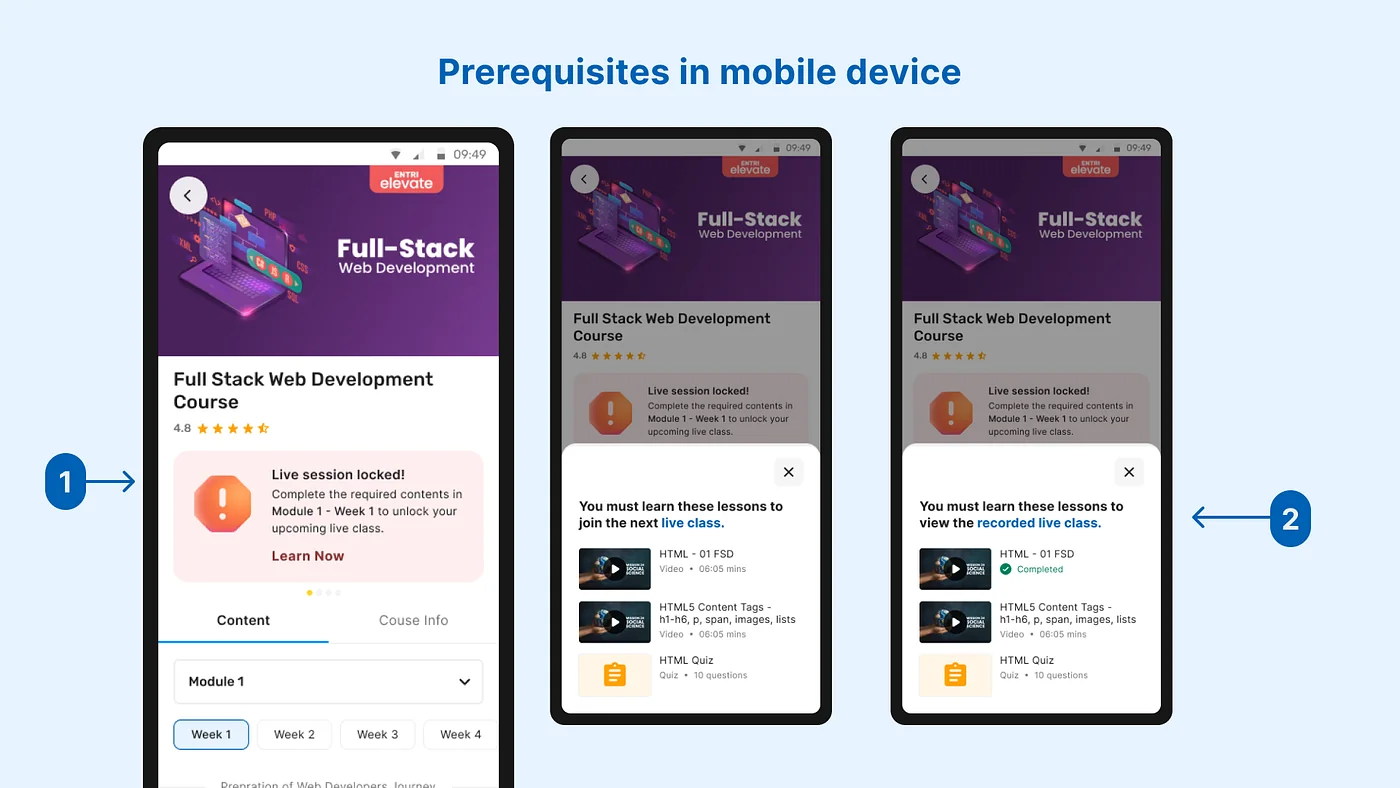
- An interactive card showing that the user’s next live class is locked and they need to learn the prerequisites.
- Upon clicking the card, a bottom sheet appears and displays the lessons the user needs to learn; this applies to the recorded live classes as well.
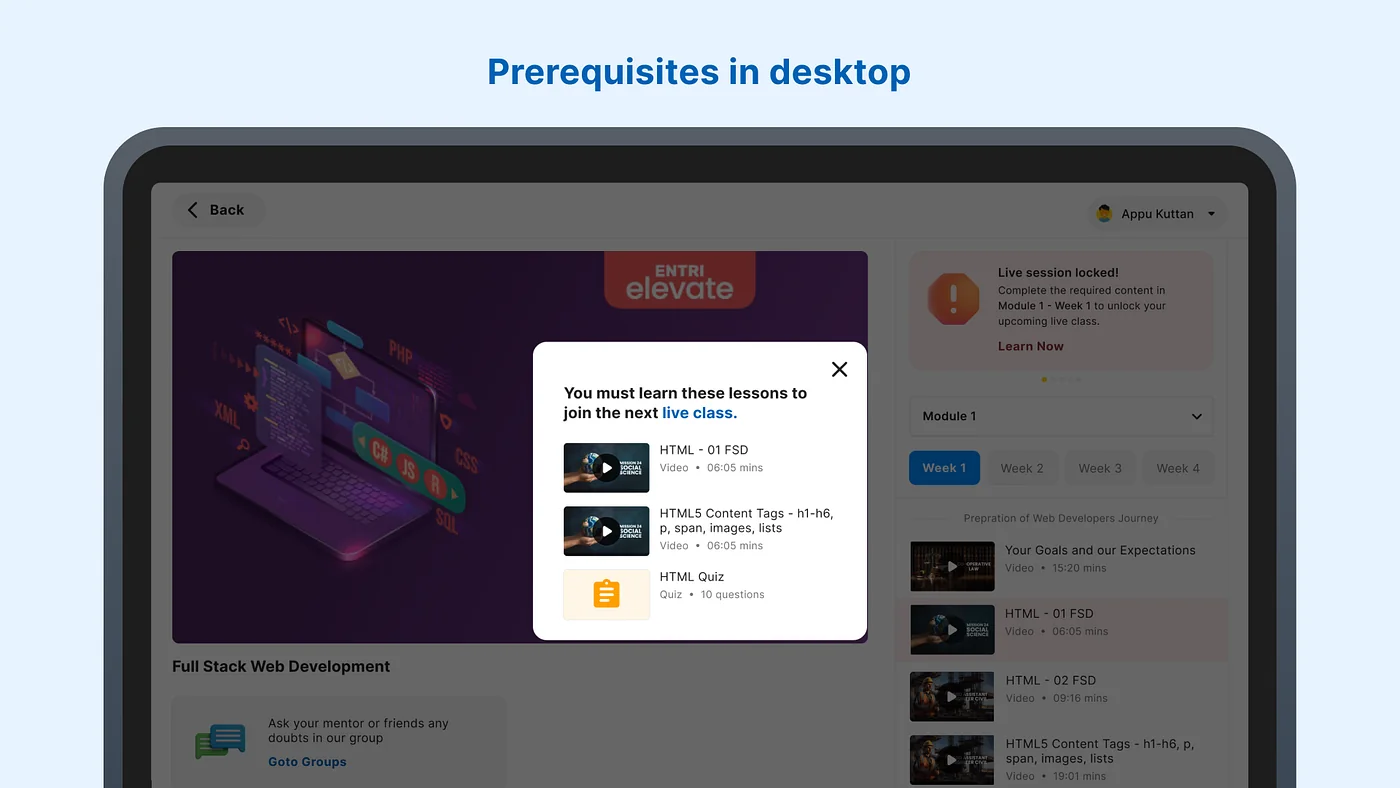
Improving prerequisite discovery: Insights from users
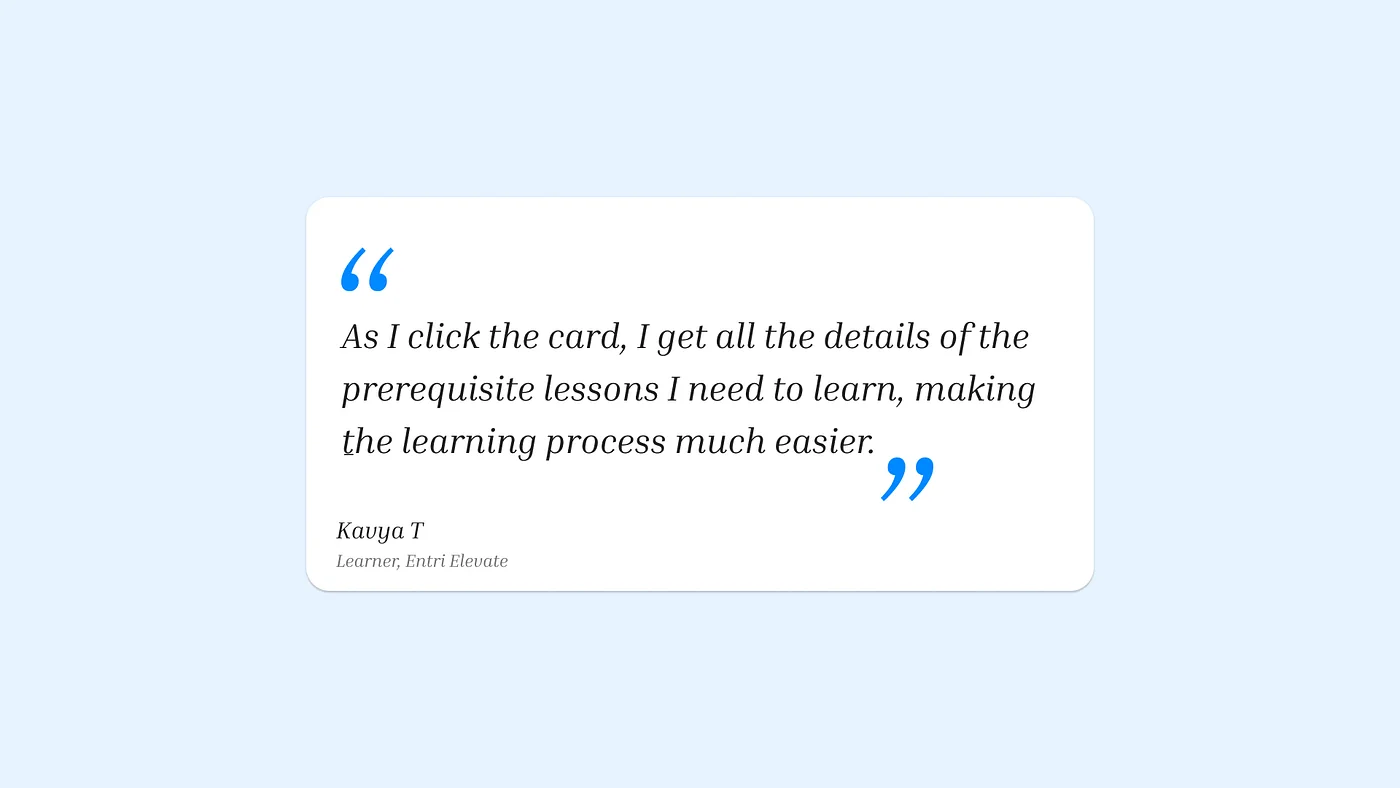
Following the rollout, our data analysis and user interviews reveal that users now know what to learn before their live classes. One user shared feedback:
In our user interviews, 65% of respondents found the highlighter under the lessons particularly useful in guiding them to identify the prerequisite. However, this also means that 35% of users did not find it as helpful.
Our next priority is understanding their challenges and optimising the experience for all users.
Just the first chapter: more to learn, more to build
We are actively exploring ways to make learning even more seamless, intuitive, and accessible for everyone. This is merely a starting point; we are eager to delve deeper, experiment further, and deliver superior solutions for our learners.
Stay tuned for what’s coming next🚀